Showing posts with label web develoment. Show all posts

Friday, 2 October 2020

How to Make Editable DataTable in PHP using X-Editable Plugin


Hey Guys, Are you looking for solution of Creating Live Inline Editing in jQuery DataTable with PHP Server-side processing using Ajax, then you have come on the best place because we have make this tutorial in which we have use X-Editable jquery plugin with DataTable for converting simple DataTable into Live editable DataTable, so we can update any cell data on web page without going into another page. In this post, you can find how can we implement jQuery X-editable plugin with jQuery DataTable plugin with PHP Server-side processing for making live inline editing DataTable data without refreshing of web page. Below you can find simple description of both plugin.

jQuery DataTable Plugin


jQuery DataTable plugin is a javascript library for converting simple HTML table into very advance level using different feature like pagination, Instant Search, multi column ordering or sorting etc. So by using this jQuery DataTable plugin we can load data in tabular format. This plugin is also work with bootstrap library so by using this plugin we can also get the benifits of Bootstrap library and it is very easy to integrate in our new project or exisiting project. And by using jQuery plugin we can easily perform client side processing of data and server side processing of data without refresh of web page.

jQuery X-Editable Plugin


By using jQuery X-Editable plugin we can create editable elements on web page. So by using this plugin we can convert simple HTML table into Inline Live HTML table that means we can edit the content of HTML table cells. This plugin is compatible with Bootstrap library, jQuery UI library or even you can also use with simple jQuery also without using Bootstrap or jQuery UI library. And by using this library we can edit table cells data with both Popup and Inline modes also. By using this plugin we can edit table cells data and it will send ajax request to server for perform update database operation.


Now we want to use both plugin with each other and we want to convert simple DataTable into inline editable DataTable using X-editable plugin and we want to also perform update data operation also and convert simple DataTable into Inline live table cells editable DataTable with update database operation. Below you can find complete source code for How to make editable DataTable in PHP using X-Editable jQuery plugin.


Source Code


database_connection.php


<?php

//database_connection.php

$connect = new PDO("mysql:host=localhost;dbname=testing", "root", "");

?>


index.php


<html>
	<head>
		<title>In-Place Editing in DataTable with X-Editable using PHP Ajax</title>
		<script src="https://ajax.googleapis.com/ajax/libs/jquery/2.2.0/jquery.min.js"></script>
		<link rel="stylesheet" href="https://maxcdn.bootstrapcdn.com/bootstrap/3.3.6/css/bootstrap.min.css" />
		<script src="https://cdn.datatables.net/1.10.12/js/jquery.dataTables.min.js"></script>
		<script src="https://cdn.datatables.net/1.10.12/js/dataTables.bootstrap.min.js"></script>  
		<link rel="stylesheet" href="https://cdn.datatables.net/1.10.12/css/dataTables.bootstrap.min.css" />
		<script src="https://maxcdn.bootstrapcdn.com/bootstrap/3.3.6/js/bootstrap.min.js"></script>
		<link href="https://cdnjs.cloudflare.com/ajax/libs/x-editable/1.5.1/bootstrap3-editable/css/bootstrap-editable.css" rel="stylesheet">
  		<script src="https://cdnjs.cloudflare.com/ajax/libs/x-editable/1.5.1/bootstrap3-editable/js/bootstrap-editable.js"></script>
	</head>
	<body>
		<div class="container">
			<h3 align="center">In-Place Editing in DataTable with X-Editable using PHP Ajax</h3>
			<br />
			<div class="panel panel-default">
				<div class="panel-heading">Sample Data</div>
				<div class="panel-body">
					<div class="table-responsive">
						<table id="sample_data" class="table table-bordered table-striped">
							<thead>
								<tr>
									<th>ID</th>
									<th>First Name</th>
									<th>Last Name</th>
									<th>Gender</th>
								</tr>
							</thead>
						</table>
					</div>
				</div>
			</div>
		</div>
		<br />
		<br />
	</body>
</html>

<script type="text/javascript" language="javascript">

$(document).ready(function(){
	var dataTable = $('#sample_data').DataTable({
		"processing": true,
		"serverSide": true,
		"order":[],
		"ajax":{
			url:"fetch.php",
			type:"POST",
		},
		createdRow:function(row, data, rowIndex)
		{
			$.each($('td', row), function(colIndex){
				if(colIndex == 1)
				{
					$(this).attr('data-name', 'first_name');
					$(this).attr('class', 'first_name');
					$(this).attr('data-type', 'text');
					$(this).attr('data-pk', data[0]);
				}
				if(colIndex == 2)
				{
					$(this).attr('data-name', 'last_name');
					$(this).attr('class', 'last_name');
					$(this).attr('data-type', 'text');
					$(this).attr('data-pk', data[0]);
				}
				if(colIndex == 3)
				{
					$(this).attr('data-name', 'gender');
					$(this).attr('class', 'gender');
					$(this).attr('data-type', 'select');
					$(this).attr('data-pk', data[0]);
				}
			});
		}
	});

	$('#sample_data').editable({
		container:'body',
		selector:'td.first_name',
		url:'update.php',
		title:'First Name',
		type:'POST',
		validate:function(value){
			if($.trim(value) == '')
			{
				return 'This field is required';
			}
		}
	});

	$('#sample_data').editable({
		container:'body',
		selector:'td.last_name',
		url:'update.php',
		title:'Last Name',
		type:'POST',
		validate:function(value){
			if($.trim(value) == '')
			{
				return 'This field is required';
			}
		}
	});

	$('#sample_data').editable({
		container:'body',
		selector:'td.gender',
		url:'update.php',
		title:'Gender',
		type:'POST',
		datatype:'json',
		source:[{value: "Male", text: "Male"}, {value: "Female", text: "Female"}],
		validate:function(value){
			if($.trim(value) == '')
			{
				return 'This field is required';
			}
		}
	});
});	
</script>


fetch.php


<?php

//fetch.php

include('database_connection.php');

$column = array("id", "first_name", "last_name", "gender");

$query = "SELECT * FROM tbl_sample ";

if(isset($_POST["search"]["value"]))
{
	$query .= '
	WHERE first_name LIKE "%'.$_POST["search"]["value"].'%" 
	OR last_name LIKE "%'.$_POST["search"]["value"].'%" 
	OR gender LIKE "%'.$_POST["search"]["value"].'%" 
	';
}

if(isset($_POST["order"]))
{
	$query .= 'ORDER BY '.$column[$_POST['order']['0']['column']].' '.$_POST['order']['0']['dir'].' ';
}
else
{
	$query .= 'ORDER BY id DESC ';
}

$query1 = '';

if($_POST["length"] != -1)
{
	$query1 = 'LIMIT ' . $_POST['start'] . ', ' . $_POST['length'];
}

$statement = $connect->prepare($query);

$statement->execute();

$number_filter_row = $statement->rowCount();

$result = $connect->query($query . $query1);

$data = array();

foreach($result as $row)
{
	$sub_array = array();
	$sub_array[] = $row['id'];
	$sub_array[] = $row['first_name'];
	$sub_array[] = $row['last_name'];
	$sub_array[] = $row['gender'];
	$data[] = $sub_array;
}

function count_all_data($connect)
{
	$query = "SELECT * FROM tbl_sample";

	$statement = $connect->prepare($query);

	$statement->execute();

	return $statement->rowCount();
}

$output = array(
	'draw'		=>	intval($_POST['draw']),
	'recordsTotal'	=>	count_all_data($connect),
	'recordsFiltered'	=>	$number_filter_row,
	'data'		=>	$data
);

echo json_encode($output);

?>


update.php


<?php

//update.php

include('database_connection.php');

$query = "
UPDATE tbl_sample 
SET ".$_POST["name"]." = '".$_POST["value"]."' 
WHERE id = '".$_POST["pk"]."'
";

$connect->query($query);

?>

Thursday, 27 August 2020

A Beginner’s Guide on What Laravel Can Do


So over time, you must have heard about Laravel. Maybe now you are considering learning it but don’t know where exactly to start. Well, no need to feed into the confusion as this guide takes you on a beginner-friendly journey through Laravel and its wonders.

Designed by Taylor Otwell, it has been nine years since its inception, and Laravel still stands out as the most popular, free, open-source, and robust server scripting PHP web framework. Its creation was intended to support the development of web applications that follow that Model View Controller architectural pattern.

A Beginner’s Quick Start Guide to Laravel and Its Applications


Let’s take a look at some of the key attributes about Laravel that makes it the framework of choice for many known applications.

Why Is Laravel Used, Its Features and Tools


Laravel is an immense package of built-in features and tools that makes developing web apps a more efficient process. These features and tools are widely regarded for making Laravel a widely used framework by web developers:


1. Composer


Composer is Laravel’s built-in tool that comprises of all the libraries and dependencies. It allows the developer to create a project as per Laravel’s framework installations.

2. Artisan


Artisan is a command-line interface (CLI) that comes with various pre-built sets of commands to assist in developing web applications.

3. Modularity


It is a modular packaging system that allows dependency management. Laravel offers 20 such modules that help in enhancing the application. It means that the developer can add functionalities to the Laravel app without writing it from scratch.

4. Testability


The testability features help in testing through the numerous test cases. It allows the developer to maintain the code as per the requirement.

5. Routing


This is Laravel’s approach to flexibility for the developer to define routes in a web application clearly. Routing enables the developer to scale the application better and enhance its overall performance.

6. Configuration Management


Any developer would know that a web application designed on Laravel will be optimized to run in many different environments. This means that a constant change of configuration would be required to keep the process streamlined. Laravel carries a consistent management system to handle the change of configuration efficiently.

7. Authentication System


User authentication is a common feature when it comes to web applications. Hence, Laravel has a complete authentication system. It eases the process of designing authentication with its features like register, forgot password, and sending password reminders.


Aims and accessibilities


There is no denying that Laravel, with its expandable tools and features, allows the web application to become more scalable. Considerable time is saved in designing the interface as Laravel adapts to reusable components of other frameworks. It increases the developer’s accessibility as it includes namespaces helping to organize and manage the said resources.

Is it a frontend or backend framework?


One of the most commonly asked questions about Laravel is that if it is a front end framework of backend. The most precise answer to this question is that it is the backend. The reason behind it is that Laravel works as a server-side PHP framework.

The main functionality it enables is of building full-stack apps. These apps require a backend framework to provide the user with features like accounts, order management, exports, etc.

How easy is it to learn Laravel?


So after learning and getting all their questions answered, people usually do end up at this point where they directly just want to know a minimal yes/no direct answer. The answer to if Laravel is easy to learn is not that of yes or no. It depends on the fact that if you are already familiar with the PHP framework, then Laravel is a very short learning curve that you’ll get through easily.

Therefore, it is recommended that you practice your knowledge of generalized PHP frameworks and then move over to the advanced domain that is Laravel.

Applications built on Laravel


Now that you are well aware of what exactly is Laravel, what it does, and how easy it can be to learn, let’s take a look at some of the most popular open-source projects that use Laravel. From music streaming servers and content management systems to API generator tools and all types of forums, Laravel has a wide range of projects to its name.

  • Koel: A personal audio streaming application that uses Laravel on the server-side.
  • Invoice Ninja: Allows the user to create real-time invoices, tasks, projects, and even customize them with your own business logo.
  • Council: An open-source forum built on Laravel.
  • Canvas: A simple yet powerful blog publishing platform.
  • Bookstack: It is a simple and free wiki software that is a self-hosted, easy-to-use platform for storing information and organizing data.

Bottom Line


All in all, developers know that there is no shortcut to learning programming, code, and frameworks. However, while you are at it, there are plenty of ways to make it worthwhile—no need to push yourself to become a Laravel tech expert overnight.

Start by experimenting with features that are familiar and speak to your current requirement. Soon you’ll be immersed deep within the applications that Laravel has to offer. Cheers!


Author

Author Bio


Liza Brooke is an experienced Web Developer who has been working for three years at Crowd Writer as Technical Blogger, an excellent platform to get essay help UK. Her own experience of working with Laravel has made her an expert in the domain. She loves to cook healthy meals.


2021 to Bring 10 Amazing Ways to Reduce Shopping Cart Abandonment


When it comes to an ecommerce business, an abandoned cart has the same nature as termites. It eats away slowly and steadily - leaving the damage visible long after it has hit the core.

Many marketing retail firms have shown data that indicates the average rate of cart abandonment is 80 percent! This means around 4 out of 5 shoppers chose to leave the site before confirming their purchase.

This may seem to be a rather worrisome problem; but this happens to be very common for ecommerce businesses and indeed does hold a solution. The best part is we’ve got you covered on all the possible reasons and their solutions right here!

1. Mobile-friendly


If it’s frustrating for you to see the number of abandoned carts on your website, imagine the level of frustration the customer must have felt right before they decided leaving was easier than checking out! And the most common reason behind this in today’s day is your website is not fully optimized for mobiles.

It has been proven that 79% of smartphone users have made an online purchase using their phones in the time frame of 6 months. This means that a major section of your traffic is a smartphone user and you are missing out on various chances to score a successful sale!

It is important to ensure your website is fully optimized for any platform in order to succeed at nailing the seamless checkout feel you shoppers really want. The sooner this is done the better as per forecasts for ecommerce; the sales from mobiles will jump to a total of 54% sales by 2021!

2. Simplify Guest Checkout


The checkout should feel like a light breeze of fresh air, or be as simple as a walk in the park and that can only be achieved if the customer doesn’t feel they have to constantly jump through hoops just to complete their purchase.

Guest checkouts are best for people who don’t want to go through the extra hassle of creating an account before making a purchase. And the best way to this is to offer an option to register and complete their profile later or upon the next purchase.

This way you request minimal information that allows you to build your database without overburdening your customer. Later on you can offer an option to complete their profile by simply linking it to a social media account of their choice.

3. All this AND Shipping?!


This is a box one must check off at the back-end of their ecommerce site. With a variety of users coming and going, shipping costs can deter a person from making a purchase.

Offering free shipping is important as the first thing the customer will see is a greater price tag on the shipping than their item of purchase. The easiest way to enable this is to offer free shipping after a certain price that is feasible to you and won’t seem too much for the average customer visiting your site.

Another alternative to consider; flat rate shipping. This is not exactly “free”, but is a fixed shipping rate regardless of the item.

The trick to finding which one of the two works better for you is to test them out and evaluate the results. They will settle for one eventually as it’ll be a much better offer than paying a hefty shipping fee.

4. Security before All


In today’s day, there is still a fair chance customers may not feel comfortable with providing their data online. Customers are without a doubt more interested in purchasing off trusted sites on which they feel 100% secure.

It is absolutely essential to promise your visitors with security badges and information all over your website to ensure that none of their data is at any risk whatsoever.

Try doing this by making sure your site has an active SSL certificate, even if a third party such as PayPal is handling all your transactions.

5. Eliminate the idea of Hidden Costs


It’s as simple as one can be. Make sure your prices are displayed clear cut and to the point. As it has been proven that 30% shoppers will abandon their carts since the final price is higher than the one displayed initially.

The final shipping costs and sales tax included towards the checkout usually makes the customer lose interest as they have planned accordingly only to find out they have to make more adjustments.

6. Multiple Payment Options? Yes Please!


The world of ecommerce is a lot more competitive than it seems. Amidst all the competition a very important factor to consider is flexibility. This means simplifying it for each user to make a purchase and securing them by offering as many payment options as possible.

No one is saying this part will be even remotely easy as it will be a bit of extra work on your end, but keep in mind it will pay off in the long run.

This is highly recommended for international ecommerce stores, as people from all over the world rely on various payment methods. The typical MasterCard and Visa, or PayPal options aren’t where you stop. Research some more. Understand you’re demographic and supply the users with an option that is catered specifically to them.

This level of understanding will definitely generate more sales and build a stronger and more loyal customer base.

7. Incentives


One word; Pop-ups. Use them wisely and to your advantage and it’s a promise to you the number of abandoned carts on your website will improve significantly.

If you can come up with incentives that can make your customers at least consider providing their email addresses willingly, then this can extensively decrease shopping cart abandonment.

You can make use of a welcome pop-up offering 10%-15% off just by adding their emails to the list, as the possibility of a sale right after is high.

Or you can choose to add the exit pop-up. It will trigger upon a visitor exiting and it’ll offer them with updates, discounts etc.


8. Send Reminders


The hardest pill to swallow is seeing all the shoppers that intended to make a purchase but deviated- thus leaving their cart to never be seen again.

But that surely doesn’t have to be the end of it. You can still offer your potential customers with incentives that require them to come back to their carts and complete their purchase with the help of email reminders! It has been proven to work and improve your conversion rate up to 45%!

9. Create Urgency


At the end of the day we are all only human. Sometimes all we really need to get the job done is a little extra push. This is a tried and true strategy used to create the need in the customer to make a cold hard decision to make the purchase!

The easiest ways are to:

  • Notify the customer of the product being low in stock or a few remaining in their size.
  • Adding a clock that begins a countdown on a deal or flash sale of some kind.

10. Communication made Easier


Lastly, this one usually goes unnoticed and may be a tiny detail to add to your online store, but it surely has been proven to be quite fruitful for those who have.

Provide your contact info to reassure your shoppers you care and are ready to hear out any queries they have.

If your customers can reach you by telephone, email, or post - that’s one step up in the trust department.

Bonus points for adding a chat box with 24/7 virtual assistance to reassure them that they can get instant service to help them carry out their purchase right then and there!

Conclusion


Implementing any of the measures listed above can surely prevent shopping cart abandonment. Some options may seem rather costly at first, but it’s a small price to pay for greater and more promising results in the future!

Author Name: Sarmad Saleem

Author Bio: Sarmad Saleem is a professional SEO expert with 3 years of industry experience. And I’m currently working for Addify.co as a marketing executive.

Minimalist Web Design: Less Truly is More


If there’s a fact known for sure, all the design trends come and go after a certain time, but some trends just hit it right and become an eternal phenomena. Minimalism is the trend that came once, but is here to stay.

Over the time it became more than just a trend; it ensures your website is timeless, classic, universally appealing. This forever gold web design trend allows you to place all the focus on what’s really important; the content. The design just sits comfortably in the backseat while everything else takes the wheel and makes a significant impact on your audience.

It’s all about maintaining that perfect balance to make sure nothing is too overpowering or intimidating to your visitors.

The Ultimate Design


In the early 2000’s we were introduced to minimalistic web design, and recently it has made a comeback with a rather more seamless and refined take on the former trend.

Today we are more advanced and are able to add more complex and versatile visuals to our websites and this often causes the site to crash. With the heavy unnecessary Flash intros and animations of all kinds, some web designers felt it’s about time we resort to simpler times that follow the “less is more” principles.

The best example of efficient and useful minimalist web design has been demonstrated by Google. The Google homepage is exclusively designed with all the focus on emphasizing everything it stands for. Other than branding, every other thing unnecessary to their primal function was eliminated. The major focus is on the brand itself, as there are no other prominent visual elements on the page. The rest of the page is uncluttered, without any distracting characteristics. Google has exhibited a minimalist philosophy like no other as it improves user experience and promotes engagement.

Minimalist Components to Consider


It is important to take the following into consideration whilst creating your ideal minimal web design that ensures to maximize the effectiveness.

1. A High-Contrast Palette should do the Trick!


If you’re up for a fresh, modern and subtle look, then you need to employ a simple high-contrast color palette. The fewer visual elements with a palette of the sort tend to have a greater impact.

It will be beneficial for viewers as it makes the website more readable, accessible and can direct users to important areas of the website.

Remember: The goal of a minimal web design is to believe in the less is more concept; which reflects ease of use and efficiency.

Negative Space is Positive


This is the only place you should consider negative to be a positive. In simple terms, negative space or white space is the empty portion between the visual elements in your design. The more empty space your design has, the more it’ll emphasize on the existing elements making them the star of the show.

While it is referred to as a white space, it doesn’t have to be white. Some sites tend to use a solid vibrant color to get their users energized. This allows you to highlight some major function or vital informational content and it can be easily seen to visitors. Negative spaces assist in preventing your users to be overwhelmed by the information displayed on screen. It ensures a light, less stressful, rather pleasing and more engaging experience for users.

The most important thing to remember is while working with massive negative space; is to not remove essentials to the point where users find it difficult to navigate or find what the features they need.


The Typography that Says it All


This plays an essential role in web design whether or not you choose a minimalist approach. Your choice in typography can make a significant difference to the final look of your design. However, in a minimalist design the dramatic use of typography becomes more influential as there is little to nothing to focus on, because of the reduced amount of elements on the page.

Even though the focus is all on the drama the typography brings to the page, it is also something to be highly cautious about. It is preferred to use ornate fonts sparingly and as center design elements.

Simplicity is Key


When it comes to web design, simplicity is a lot more complex to define than it seems. What matters is the user’s experience while interacting with the website; being a lot more than just about how it looks.

It’s all about finding ways to help smoothen out a user’s experience by simplifying the ability to accomplish a task without them getting distracted by one thing or the other. Intuitive page navigation; this is the biggest kind of contributing factor to the minimalist simple designs. They don’t confuse or distract users, and they seamlessly blend into their experience allowing them to focus and accomplish their goals.

Minus all the flash animations, and unnecessary decorative elements can easily smoothen the simple design out completely. As an added advantage your page will load easily and decrease the chances to crash or face problems.

Is the Minimalist Web Design for You?


At the end of the day, it’s a personal decision you have to make on your own as you know what’s best for you. But, to help you make that decision you should ask yourself “Does minimalism help me achieve the purpose of this website?” Many websites use minimalist designs to focus on the customer’s needs, this tends to convert into more sales as users feel at ease to find what they need and complete the task.

Author name: Asad Mazhar

Bio: Is a professional SEO expert with 4 years’ experience. He is working with a Dubai based company Go-Gulf is currently working on the Web Design Abu Dhabi segment.

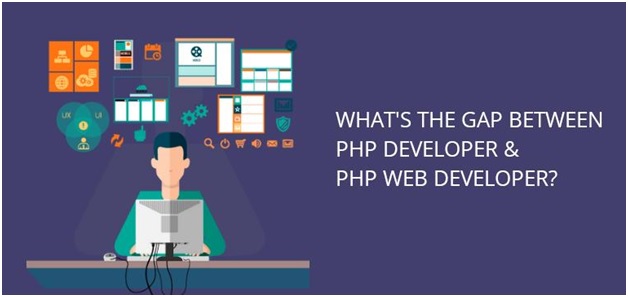
What's the gap between PHP Developer & PHP Web Developer


Web developers are professionals who design and program software for building various internet websites. Developers are special kinds of engineers whose responsibilities include making different apps, websites, and programs. Some may get confused or think that a PHP developer and a PHP web developer have the same tasks and responsibilities.

The truth is that there’s a considerable difference between PHP website development and PHP development. PHP web developers in a custom software development company, are those who program and design software to be able to create numerous websites, as mentioned above. They design both front-end and back-end programming software to build numerous sites and internet applications.

PHP Developer and PHP Web Developer—the Difference


The PHP Developer


In custom Application Development, a PHP developer develops apps, programs, and websites with the dynamic PHP scripting language. PHP is renowned for its business apps and web development. The responsibilities of a PHP developer include writing, testing, troubleshooting, and maintaining computer programs' source code.

The code should be reusable, well-documented, and could be altered to fit the evolving needs. Programmers of PHP work for independent contractors, companies, usually temporarily.. Other responsibilities of a PHP developer include:

  • Databases programming
  • Testing and debugging new programs
  • Coordinating with other departments to ensure quality and timelines
  • Develop both front-end and back-end apps
  • Being aware of the security issues of PHP
  • Starting projects from scratch or work on current projects
  • Assist the members of the team to solve problems


In applying to a custom software development company, the PHP developer qualifications include having a high school diploma and relevant experience with the language. Other companies may require a PHP certification that could be obtained via an online certification examination. Most developers of PHP have a computer science bachelor’s degree, but a two-year degree would suffice.

The PHP Web Developer


There are certain skills that a lot of PHP web developers have to accomplish their responsibilities. A PHP web developer is a professional who programs and designs software to create internet sites. Some of the responsibilities of a web developer include the following:

  • Write efficient code
  • Closely work with web designers and programmers to create a website
  • Constant communication with other colleagues to develop and deploy content
  • Maintain and enhance the PHP website
  • Implement contingency plans should the site goes down

To become a PHP web developer, you should have a bachelor’s degree. Some even have master’s degrees. However, while web developers have a college degree, you could also become one with just a high school degree or GED. The most common majors to become a PHP web developer include Information Technology degrees and Computer Science degrees.

Other degrees that most developers have include Computer Applications and Computer Engineering degrees. Moreover, experience in other jobs could help you become a web developer. PHP web developer jobs need experience.

PHP, the Web Development Choice


Numerous factors led to so many web development companies opting for PHP to develop their websites. The factors include:

  • Free and open-source: The PHP components are free to use because it’s open source. All it takes is contacting a development provider to accomplish the task.
  • Easy learning: PHP is much easier to learn compared to other languages.
  • Easy deployment: PHP deployment is easy and costs less because of numerous hosting companies that are willing to offer a server to run the site.
  • Cross-platform: IT could run on all the major operating systems, such as Windows, Mac OSX, and Linux, saving a lot of time for developers.
  • Less market time: PHP takes less time to market. This enables enterprises to be more popular than their competitors.
  • Reliable: PHP could be quite efficient. Also, it’s scalable when codes are written, making it a reliable language.
  • Tested and proven: More than millions of people have been using sites built with PHP for more than two decades. Its functions and abilities have been tested again and again and proven to stand the test of time.
  • Community support: PHP has a big development community that keeps updating forums with benefits and news. It’s a reliable information source about the programming language as well as other related issues.

Conclusion


PHP was designed for sole web development use. It was the most popular language for web development. Thus, when someone claims to be a PHP developer, it’s implied that he’s also a web developer and understands how to develop PHP web apps.

Writer note


I’m Eric Jones is a Content Strategist at TatvaSoft Australia, which is a Custom Software development company in Melbourne. He would like to share ideas on technological trends, with 5+ years of experience He has been exploring the area of technology to produce interactive content on various subjects, including mobile apps, software development, and design, tech, etc.

Friday, 17 May 2019

15 Tips for Web Development Success


Whether you’re a beginner at web design or a wizened pro, here are some pointers that can help you make your web design work better:

1.Prioritize the speed.


No one likes to wait. This is why it is important for you to ensure that your website is fast.

The trick to this is to optimize the image files in the page. Transform raw image files into a more compact format so that they won’t strain your site’s loading speed.

2.Ensure smooth navigation.


Every website has one true aim, and that is to enhance the conversion rate of web visitors.

Place an intuitive and straightforward web design in play, and your clients won’t have to worry about getting lost on your website.

3.Optimize the site for mobile use.


Not everyone has a computer. But you can bet that almost everybody has a phone. And you can use this to your advantage! By configuring your website for smartphone use, your market will be able to expand to mobile users all over the world.

4.Choose the complementary color pattern.


Pick a color scheme that looks harmonious. If you’re not an expert in picking color combinations, consulting a color wheel or referencing existing palettes online might help.

5.Utilize the right font.


It’s okay to go for style, but your readability should be your top priority when selecting a font. After all, fancy looking typefaces are deemed useless when your clients can’t understand them.

6.Place the headline where it needs to be.


Up top, dead center is usually the go-to. However, you don't always have to follow the standard. It's okay to be creative. The important thing is that your headline is able to capture your audience and make them feel welcome when they first enter your page.

7.Situate the logo and CTA buttons.


This will enhance brand recognition and help your clients take the action that they want, easily. Be sure not to clutter all the buttons in one place either as it might cause confusion!

8.Add the social sharing buttons.


Not all clients make a purchase, but you can encourage them to share your content. Simply place social sharing buttons at the line of sight, and your brand will have an easier time gaining popularity.

9. Reinforce the search bar.


When you’re looking for something in a website, do you take the time to scour every single page? Not everyone does. Having a search bar can deliver your prospects the content that they want with minimum effort. The more convenient your page is to use, the more your site will be able to gain an online audience.

10.Include the necessary pages.


It’s fairly tempting to just set up one page and call it a day, but you shouldn’t. Not only will it make your business website look sketchy, but generally clients want a bit of information before they subscribe to a service or brand. (You probably would too, as a consumer!)

To start off, here are the basic pages your website should have:

Homepage

This segment is for telling the audience about your brand, along with the products and services that come with it. The key factor to make the homepage work is to focus on building user interaction, rather than the overall design.

About us

This segment is for giving web users a summary of your brand’s reliability and integrity.

Contact us

This segment is for giving clients the option to contact you as soon as possible should they have any concerns regarding your brand.

Products and services

This segment is for showcasing what your brand has to offer.

Terms and Conditions

This segment is for detailing the fair usage policy of the website.

Privacy Policy

This segment is for reassuring clients that the data they input in your website will be protected.

11.Check the cross-compatibility through different browsers.


Not everyone uses the same web browser. Doubt it? Go ahead and ask a group of friends and relatives. You’ll be surprised by the diversity.

<a name="_GoBack"></a>

That’s all fun and good, but the thing is, not all web browsers display pages the same way. Your site might look good in one web browser, but it may absolutely be off center in another. To sort it out, you will need to test your web design across multiple web browsers to make sure everything is in order.

12. Avoid free themes, extensions, and plugins.


Saving money is important, but are they always the best option? At first glance, maybe. But, you should be careful as certain free themes, extensions, and plugins may actually come with malware that can affect the performance of your site and make it unsafe for your web users. Go for premium options instead. They may be a bit pricey, but you can rest assured that they are safe.

13. Include the multilingual option.


The world wide web is a vast place. And because of that, everyone from all over the planet is able to access your site. Still, you have to consider that English is not everyone’s first language. As a solution, you should install a plugin that will readily translate your site’s content. Through it, your brand will have a greater pull on the international market.

14. Append the needed security measures.


With the rise of scammers online, internet users tend to be more careful in selecting the sites they visit. And if you don’t want your site to be avoided, you might want to consider installing an HTTPS batch file. This is a type of security protocol which encrypts data transfer, preventing any unauthorized access. With it, clients are less likely to second guess your website.

15. Keep the design simple.


The easier it can be understood, the better. Keep your mindset in the shoes of a consumer. If you think that your site is able to offer what is desired in an effortless and convenient manner, then it’s good to go!

Was this post helpful for you?

Share it with friends!

About Author


I am Louise Savoie Digital Marketer at Proweaver, a web development company specializing in Custom Web Design which helps sole proprietors and small companies increase their sales and grow their business. I am responsible in Content Marketing and Social Media Marketing. You can find us on Twitter: @proweaver